Apollo GraphQL Integration
How to Integrate Approov with Apollo GraphQL
This guide walks through the essential steps for integrating the Approov SDK to protect your Apollo GraphQL API running on a React Native application. This approach leverages Approov’s protection at the network transport layer, making the integration independent of the specific GraphQL query shape, even when using features like persisted queries and batching.
Approov integration with Apollo GraphQL is straightforward. Because Approov works at the network transport layer, it is independent of the GraphQL query shape. This means that features like persisted queries and batching are still treated as standard HTTP requests, and no special handling is required for Approov Token attachment.
The following steps outline the required changes to your application's setup.
Prerequisites
You will need the Approov service installed and configured for your environment, including the necessary Approov configuration string from your onboarding process.
Step 1: Import the Approov Libraries
Begin by importing the necessary components from the @approov/approov-service-react-native package into your application.
import {
  ApproovProvider,
  ApproovService,
} from '@approov/approov-service-react-native';
Step 2: Define Configuration Constants
Next, ensure you have a file for your configuration constants, including your unique Approov configuration string and the GraphQL endpoint URL.
src/constants.js (Example Content)
// Approov config string from your Approov onboarding email.
export const APPROOV_CONFIG = '#cb-adriant#reDactEdreDactEdreDactEdreDactEdreDactEd#>';

export const GRAPHQL_ENDPOINT = 'https://rickandmortyapi.com/graphql';
Step 3: Configure Approov and URL Exclusions
Define an approovSetup function to initialize the Approov service. A critical part of this step is defining which URLs are excluded from Approov protection. This allows you to protect only the necessary API endpoints (e.g., /graphql) while ignoring others (e.g., image paths).
The example below uses a regular expression to exclude all paths under https://rickandmortyapi.com/ except for /graphql.
// Approov runs in the native networking layer: it attests the app and then
// injects an Approov token (and optional secret substitutions) into requests
// for protected domains/paths. We configure it before the SDK initializes.
const approovSetup = () => {
  if (!ApproovService || typeof ApproovService.prefetch !== 'function') {
    console.warn(
      'ApproovService is unavailable. Rebuild the dev client to enable Approov.'
    );
    return;
  }

  // Only protect the GraphQL endpoint; exclude image and other paths.
  ApproovService.addExclusionURLRegex('^https://rickandmortyapi\\\\.com/(?!graphql)');

  // Prefetch reduces latency for the first protected call.
  ApproovService.prefetch();
};
Step 4: Wrap Your Application with ApproovProvider
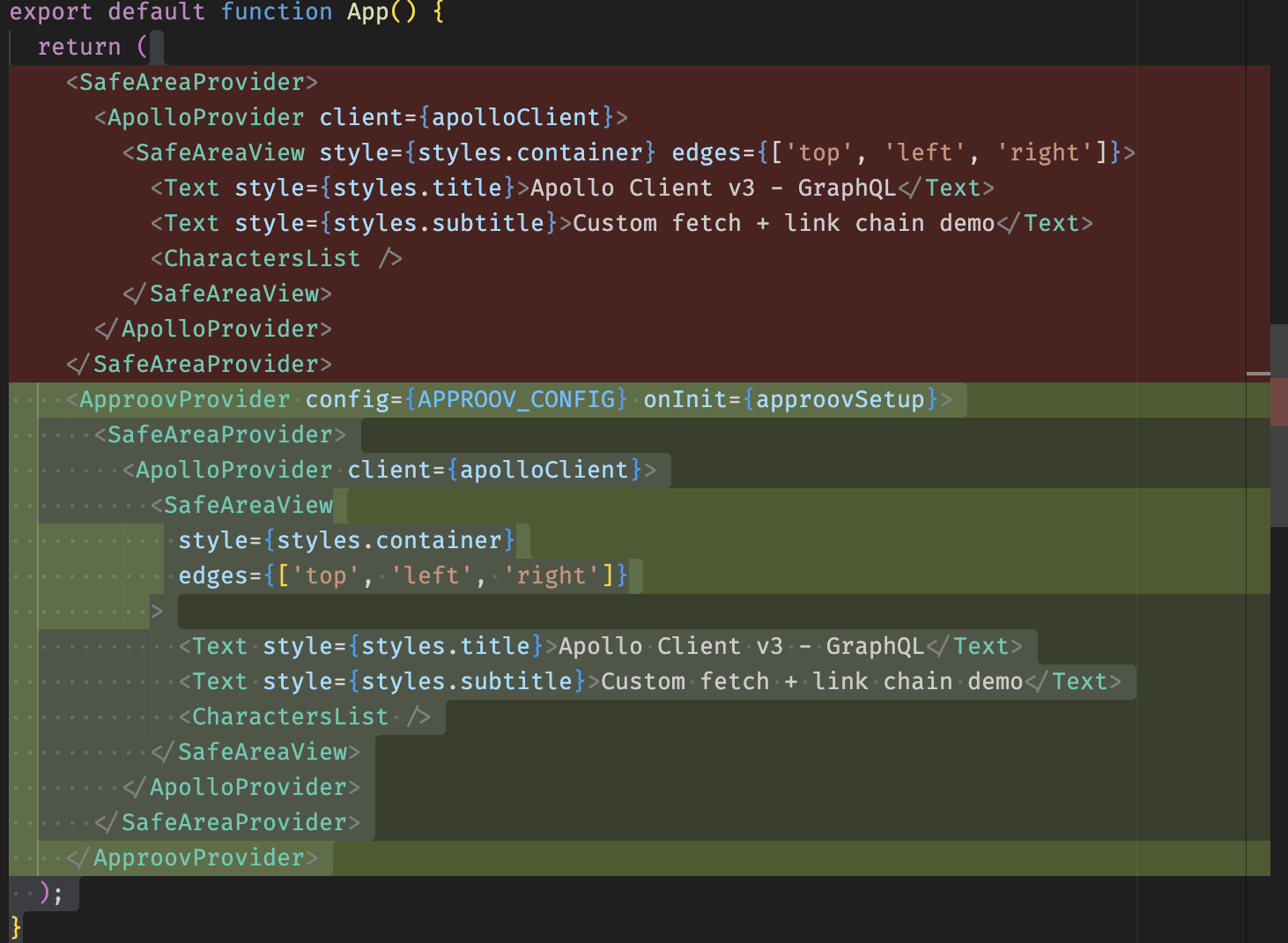
Finally, wrap your main application component with the ApproovProvider. This ensures that the Approov service is fully initialized and configured before any network requests are made.
You will pass the APPROOV_CONFIG string to the provider. You will call the approovSetup function before the provider is rendered.
(Conceptually, you would wrap your root component with <ApproovProvider config={APPROOV_CONFIG}/> and ensure approovSetup() runs during application initialization.)
CLI and Debugging Tips
After implementing the code changes, it is highly recommended to verify that Approov is protecting your intended domain and that the tokens are being issued correctly.
1. Protecting the API Domain
If your console shows a status of UNKNOWN_URL for your API domain:
[simplereactnative.debug.dylib] ApproovService INFO: token for rickandmortyapi.com: {"status":"unknown URL"}
This means the domain has not been added to your list of protected domains in the Approov CLI. You must run the following command (replacing the example domain with your actual protected domain):
approov api -add rickandmortyapi.com
2. Inspecting Requests
To ensure the token is correctly attached to your backend requests, inspect the network traffic. For local debugging, the Approov CLI can also be used to check the token:
approov token -check
By following these four steps, your Apollo GraphQL API endpoint will be protected by Approov's mobile security measures at the network transport layer.